Have you activated a package and are looking for a way to check remaining MBs in order to avoid extra deductions? In this article we will cover all methods by which you can easily find the remaining MBs on your Telenor SIM.

Checking your MBs can be done in different ways. I will explain each method in detail to make it easier for you.
Telenor MB Check Code (USSD Method)
The simplest and fastest way is to simply dial USSD in your phone and a message will be sent to you by Telenor. Here are the steps to check your internet data:
Step 1: Open your dialpad.
Step 2: Dial *999#
Step 3: Then press the call button.
Step 4: Wait for the message to be received by Telenor.
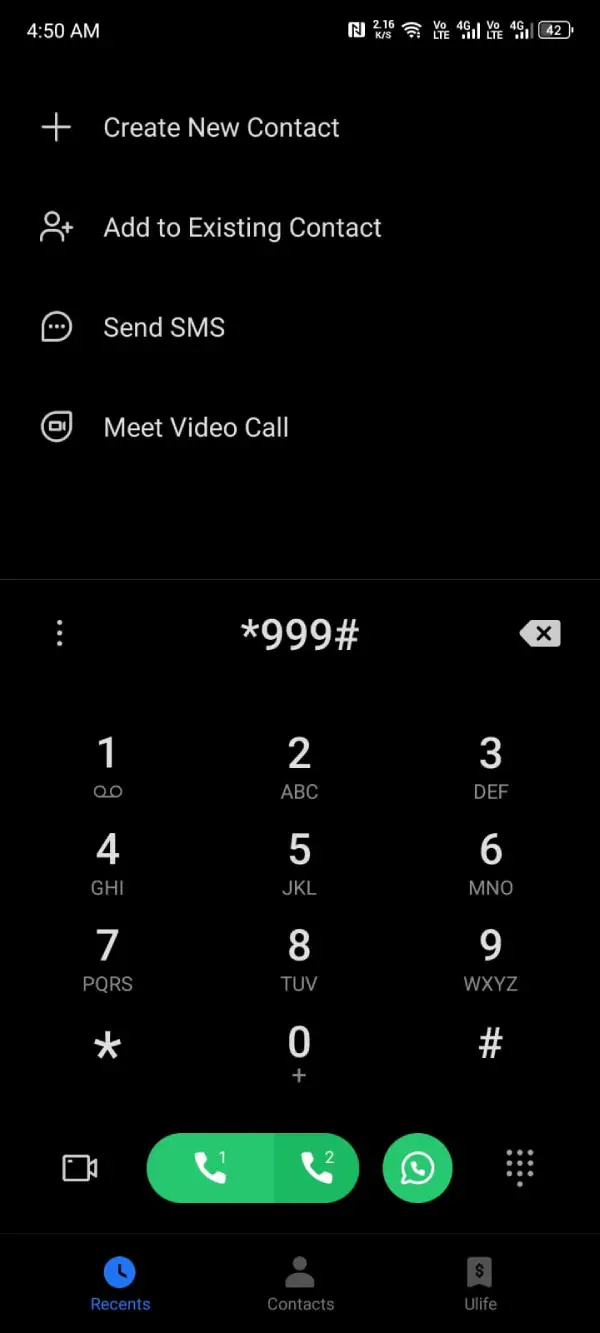
Note: The cost of this service is approximately Rs. 0.24 (inclusive of tax).
Check MBs via My Telenor App (Recommended)
This is the easiest way to check your internet since you don't need a balance for this service. You can just open the Telenor app to check it. MBs will appear on your screen and you can click on them to see full details.
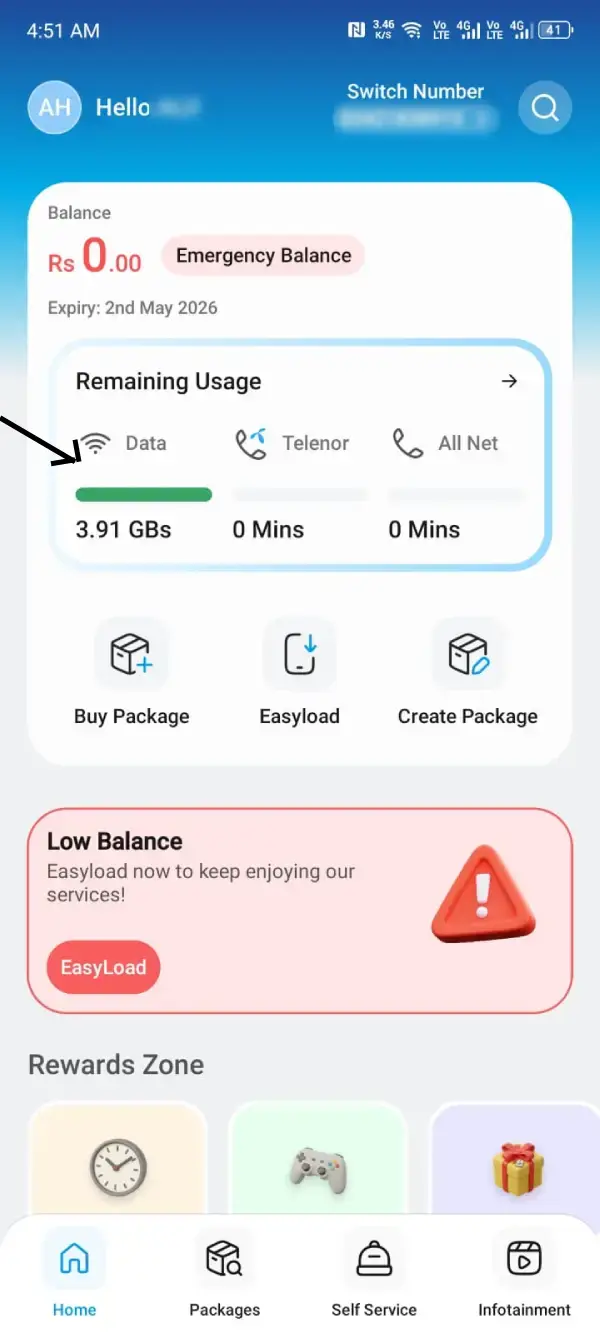
How to Check Telenor 4G Device MBs
If you are using a Telenor Dongle or Wingles device, you cannot dial a code directly. Follow these steps:
Step 1: Connect your laptop/phone to the Telenor Device Wi-Fi.
Step 2: Open your browser and type 192.168.1.1 (Device Dashboard).
Step 3: Log in (default username/password is usually admin).
Step 4: Go to the Statistics or Usage tab to see your consumed and remaining data.
Why the USSD Method is Better Than Using an App
Telenor USSD code is considered a better option for those who don't have internet or worry about losing extra deductions in case your internet has expired or you consumed all data. USSD code has its advantages that make it the better choice.
No Internet Connection Required (Offline Method)
The advantage of checking through USSD (*999#) is that you simply dial a code on your dial pad, and then press the call button. You do not need internet for this service, so it is a better option for those who worry about extra deductions.
Protecting Your Main SIM Balance from Accidental Charges
If you have used your entire data or do not have a package, then this is considered to be the best option for saving money from extra deductions.
Note: The USSD requires approximately Rs. 0.24 (inclusive of tax) charges. If you have zero balance, you can check your MBs through the app since it is free and only requires internet, so you can use someone else's Wi-Fi or hotspot.
Frequently Asked Questions (FAQs)
Through My Telenor App, you can check your MBs for free. All you need is an internet connection.
*999# is the code for the internet check. Simply dial it on your dial pad and hit the call button.
Sometimes the network is busy. In that case, you can use the My Telenor App to check your remaining data. If the issue persists, you can contact Telenor helpline for assistance.