Is your friend or family member is out of balance and has a Telenor sim, you can share their balance with them or if you have loaded your sim incorrectly and are afraid of losing your balance due to unauthorized activity, you can share your balance with another Telenor sim using USSD code *1*1*923xxxxxxxxx*Amount#. Follow these simple instructions to transfer your balance to another Telenor sim.

What is Telenor Smart Share Service
Telenor balance share code is a service that telenor provides to its prepaid customers to share balance with their friends and family members on similar mobile networks. This service is not only available in case of an emergency but to anyone who has a telenor SIM card.
Telenor Balance Share Code (2026 Updated)
You can share your Telenor balance fast by dialing the USSD code below. Follow the format code to share your balance in a fast way.
Format: *1*1*923xxxxxxxxx*Amount#
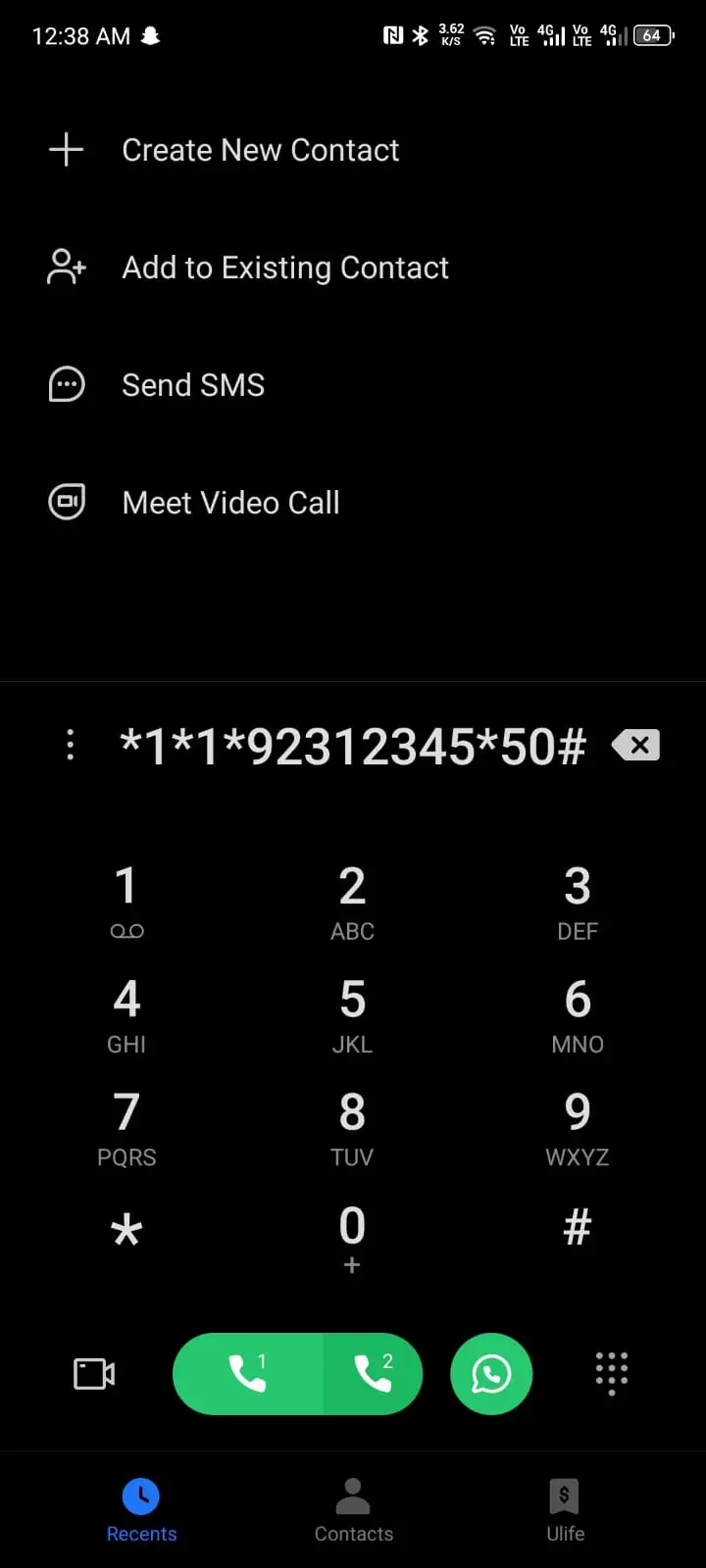
Step-by-Step Guide
Step 1: Open your dialpad.
Step 2: Dial *1*1*.
Step 3: After that dial receiver number which will be in that format 923xxxxxxxxx.
Step 4: Then dial * and enter amount.
Step 5: After that dial #.
Step 6: And press dial button.
Step 7: For confirmation, reply with 1.
Telenor Balance Share Charges and Tax Details
Its not free, service charges are applied for this service on the sender account.
These charges are deducted from the sender instead of the receiver, and the amount is Rs 7 (tax included). These charges apply every time a balance is shared, not only the first time.
Note: Rs. 7 service charges (tax included) are deducted from the sender's account on every transaction.
Balance Share Limits (Minimum & Maximum)
There are following limits set by Telenor that you can share your balance within.
- Minimum Limit: Rs. 20
- Maximum Limit: Rs. 200 (One time)
The maximum limit applies only to one transaction, which means you can share 200 maximum in the transaction, but you can share multiple times in one day if you have balance.
How to Share Balance via My Telenor App?
If you forget the code or have difficulty sharing your balance through the code, you can use the My Telenor app to share your balance.
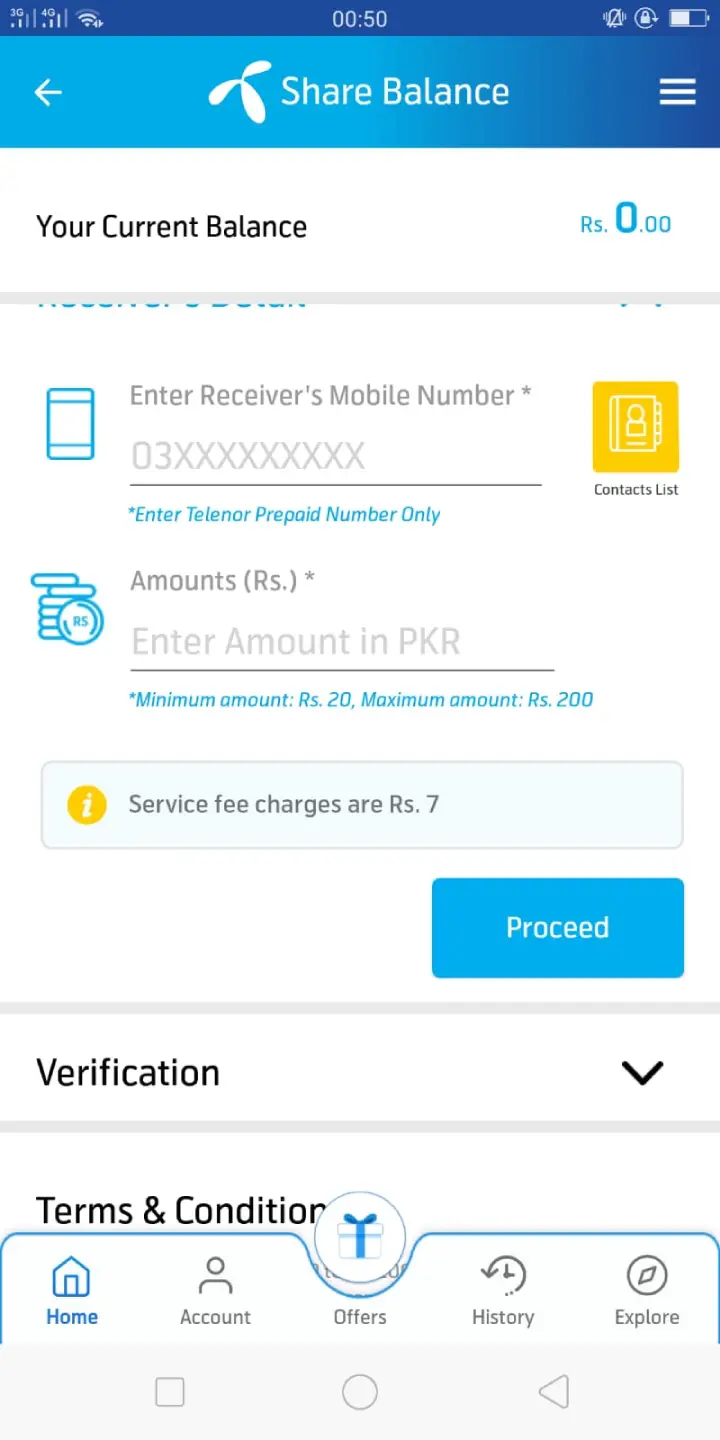
- Open my telenor app.
- On the top search bar, type "share balance" to find it.
- You will find the share balance option below.
- Click on it.
- Now they ask for receiver number.
- Please enter the number you want to transfer below, along with the amount you want to transfer.
- Then press on proceed.
Important Terms and Conditions
- The offer is applicable only to Telenor prepaid customers; Telenor postpaid customers cannot take advantage of this promotion.
- After sharing the balance, you must have a minimum balance of 5 rupees.
- You cannot share this balance on other networks like jazz, zong.
Telenor Balance Share Quick Info Table
| Feature | Detail |
|---|---|
| USSD Code | *1*1*92[Number]*[Amount]# |
| Service Charges | Rs. 7 |
| Minimum Share | Rs. 20 |
| Maximum Share | Rs. 200 |
| Network | Telenor to Telenor Only |
FAQs
The official code is *1*1*92[Number]*[Amount]#. Ensure you use the 92 country code format.
No, you cannot share your balance to other network this service is only for the telenor users. If you have zero balance, you can also get a Telenor advance loan instead.
Usually, failures occur because the sender's remaining balance drops below Rs. 5 after the transfer and fees, or because the number is entered incorrectly. If the issue persists, contact Telenor helpline for help.
While there is a Rs. 200 limit per transaction, you can share balance multiple times a day.